How Can We Help?
Using Massphoning from Teamleader
Teamleader contact tags generate phone lists in Massphoning and the results of the Masphoning campaign are dumped into a custom Teamleader field.
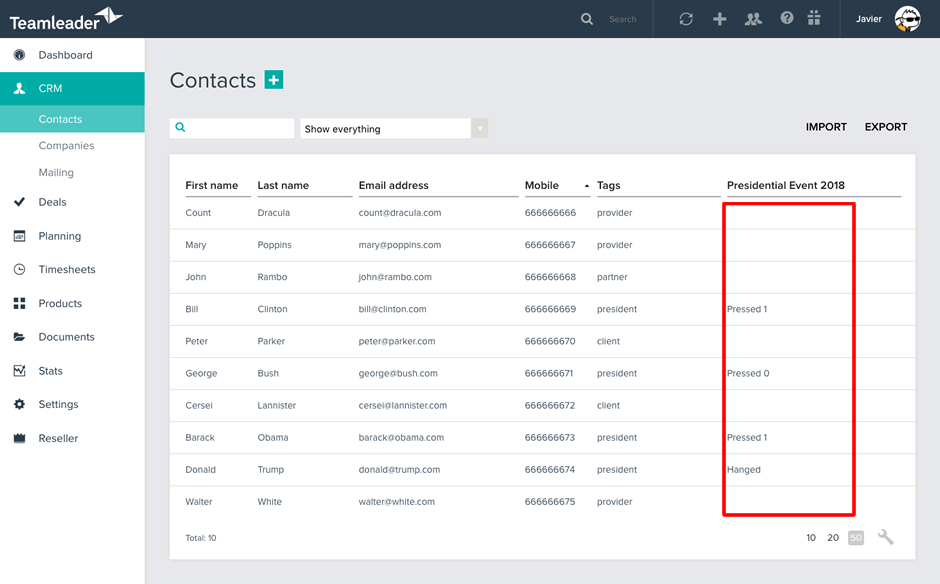
1. Assign tags to your contacts and create a custom field with the name of the campaign

2. In Massphoning go to ‘New > Who’ and in ‘Phone lists’ select Teamleader
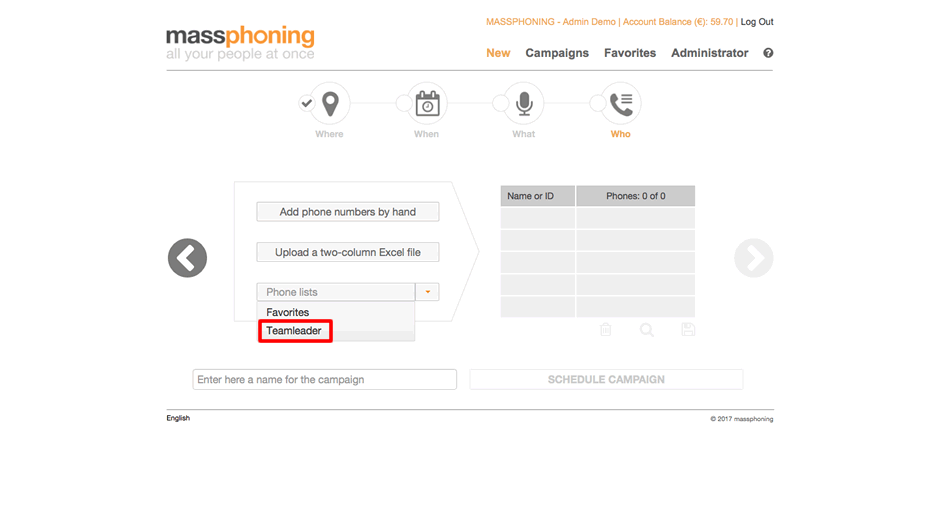
3. Select one or more tags to generate the phone list

4. Assign the name of the custom field to the campaign and run the campaign
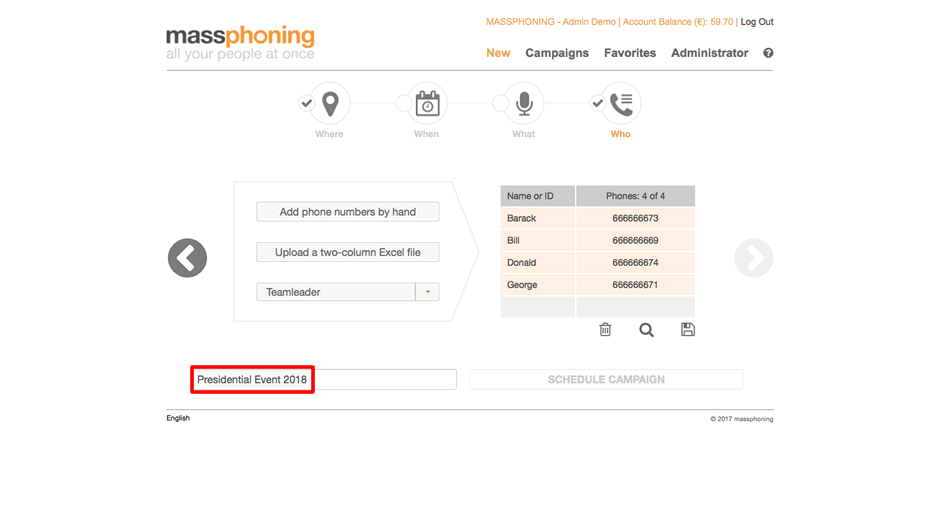
5. When the campaign is over, you can consult and process the results in Teamleader